
What causes iPhone ghost touch: fixes and expert tips
- a few seconds ago
- 7 min read

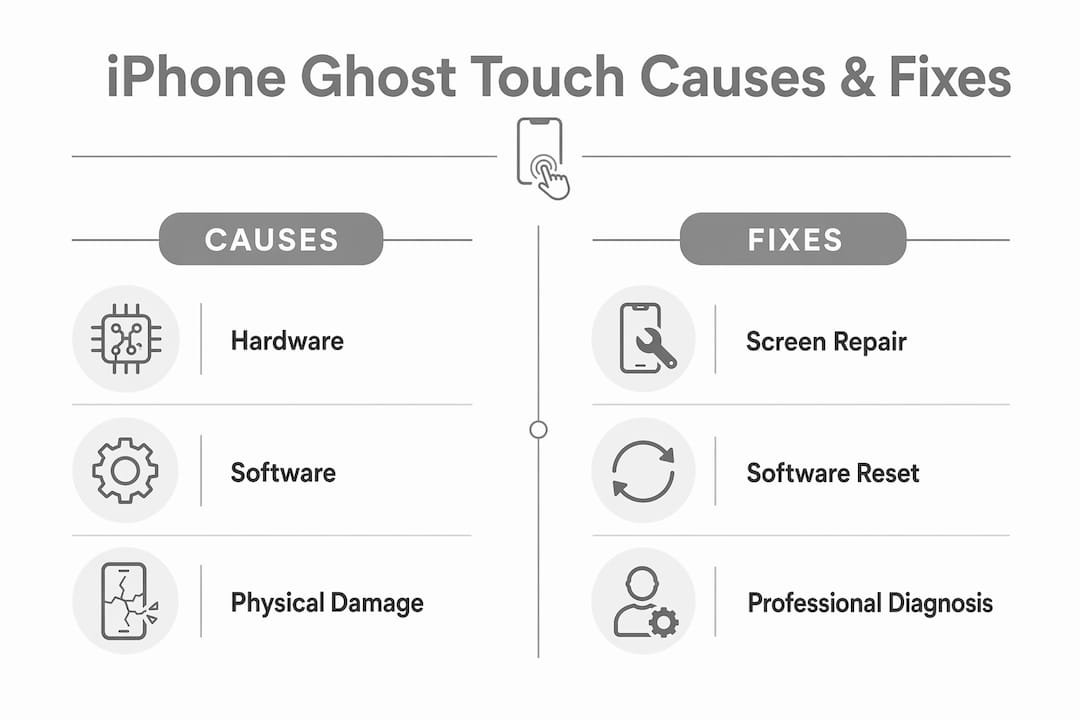
Your iPhone screen is registering taps, swipes, and actions you never made. That is ghost touch, and it happens when your iPhone’s touchscreen picks up false inputs with no physical contact from you. The causes split into two clear categories: hardware faults and software glitches.
Here are the most common reasons it happens:
Cracked or dirty screen disrupting the digitizer’s electrical signals
Faulty or bubbled screen protector pressing against the display
Ill-fitting phone case creating pressure on screen edges
iOS software bugs or corrupted touch drivers sending false input data
Non-certified charging accessories causing electromagnetic interference
Moisture or extreme temperatures affecting touchscreen sensitivity
Loose internal cables or damaged digitizer components
Understanding which category your problem falls into shapes everything about how you fix it.
What causes iPhone ghost touch: hardware vs software explained
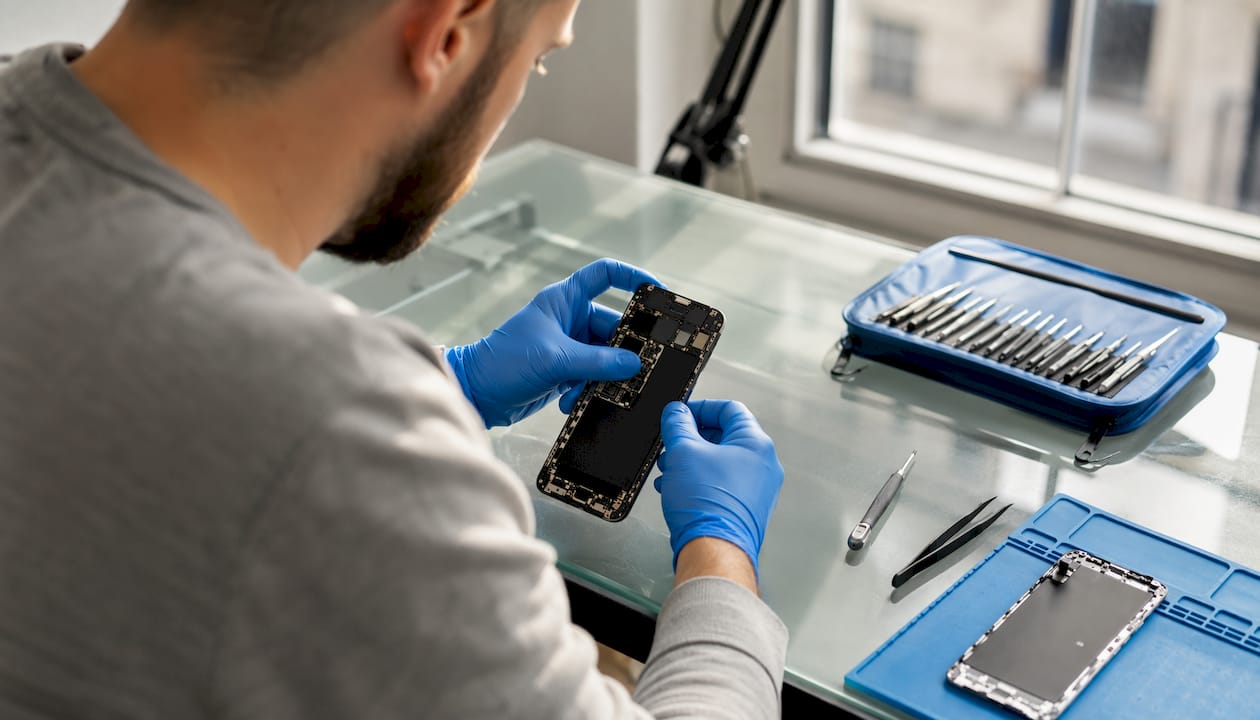
Ghost touch has a clear physical explanation. Your iPhone’s touchscreen relies on a component called the digitizer, which reads the electrical conductivity of your fingertip to register a touch. When anything disrupts that electrical signal, the screen can register inputs that were never made. A full breakdown of how the digitizer works helps explain why so many different faults produce the same symptom.
Hardware causes
Cracked or damaged screen: Even a hairline crack can create a false touch point. The crack does not need to be obvious; a subtle bend or micro-shift in the glass is enough to trigger phantom inputs, particularly when the device warms up or changes orientation.
Dirty screen: Dust, grease, or moisture on the surface interferes with the capacitive layer’s ability to read your finger correctly.
Poor screen protector: A cracked, bubbled, or misaligned screen protector interferes with touch detection by adding unwanted pressure or blocking the electrical field.
Ill-fitting case: A hard case that presses against the screen edges can twist the display slightly, generating ghost inputs along those edges.
Loose internal ribbon cables: This is especially common after a screen repair. If the cables connecting the display to the logic board are not seated correctly, intermittent electrical shorts produce erratic touch behaviour. Certain iPhone models are more prone to this issue after repair work.
Digitizer failure: Physical impact, water ingress, or manufacturing defects can damage the digitizer itself, causing persistent false inputs that no software fix will resolve.
Software causes
iOS bugs: A buggy iOS update can cause the system to misinterpret electrical signals as touch inputs. Apple typically patches these in subsequent updates.
Conflicting or corrupted apps: An app that modifies system-level functions or runs excessive background processes can overwhelm touch processing.
Accessibility settings: Features like AssistiveTouch and Touch Accommodations can mimic ghost touch if switched on accidentally. Many users mistake these for a hardware fault.
Non-certified accessories: Chargers and cables without Apple certification can introduce voltage fluctuations that disrupt the digitizer’s signal processing. If ghost touch only appears while your phone is charging, the charger is the likely culprit.
How to fix ghost touch on your iPhone step by step
Work through these steps in order. Most software-related ghost touch issues resolve before you reach step 8.
Clean your screen. Use a dry microfiber cloth to remove dust, grease, and moisture. Make sure your hands are dry too, as moisture on either surface confuses the capacitive layer.
Remove your case and screen protector. A cracked or bubbled protector is a common culprit. Remove both and test the screen bare. If ghost touch stops, replace the protector with a quality, correctly fitted one.
Disconnect all accessories. Unplug any charger, cable, or adaptor connected to the Lightning or USB-C port. Non-certified accessories can introduce electrical interference that triggers erratic screen behaviour.
Force restart your iPhone. A force restart clears minor software glitches without erasing your data. On iPhone 8 and later, press and quickly release Volume Up, then Volume Down, then hold the Side button until the Apple logo appears.
Check Accessibility settings. Go to Settings > Accessibility > Touch and check whether AssistiveTouch, Touch Accommodations, or Back Tap are switched on. Disable any that you did not intentionally activate.
Pro Tip: AssistiveTouch creates a floating on-screen button that can look exactly like ghost touch. Always check Accessibility settings before assuming you have a hardware fault.
Update iOS. Go to Settings > General > Software Update. Apple releases bug fixes with each update, and ghost touch caused by a software fault often disappears after updating.
Delete or update suspect apps. If ghost touch only appears in one app, update or delete it. Buggy third-party apps can interfere with touch processing at a system level.
Reset all settings. Go to Settings > General > Transfer or Reset iPhone > Reset > Reset All Settings. This restores default network, privacy, and touch settings without deleting your photos or apps.
Factory reset as a last resort. Back up your iPhone via iCloud or your computer first. A factory reset confirms whether the problem is software or hardware. If ghost touch persists after a clean reset, the fault is physical.
How to prevent ghost touch on your iPhone
Prevention is mostly about protecting the digitizer from the things that disrupt its signal.
Clean your screen regularly with a microfiber cloth. A quick wipe every few days removes the build-up of oils and dust that gradually degrade touch accuracy.
Replace screen protectors promptly. Once a protector develops a crack or air bubble, replace it straight away. A damaged protector does more harm than no protector at all.
Choose cases carefully. Avoid very thick or rigid cases that press hard against the screen edges. If a case causes ghost touch, try a slimmer alternative.
Use Apple-certified accessories. Non-certified chargers are a well-documented cause of ghost touch. Look for the MFi (Made for iPhone) certification mark on any cable or adaptor you buy.
Keep iOS updated. Staying current with iOS updates means you benefit from Apple’s ongoing bug fixes before a software fault has a chance to develop into a persistent problem.
Avoid moisture and temperature extremes. Although modern iPhones carry an IP68 water-resistance rating, prolonged exposure to moisture or operating in very hot or cold conditions affects touchscreen sensitivity.
Handle your iPhone carefully. Drops cause screen cracks that directly damage the digitizer layer, even when the damage is not immediately visible.
Technical insights from UK iPhone repair experts
Ghost touch is one of the more deceptive faults a phone can develop, because the visible symptom rarely points directly to the cause. At Rapidrepairsldn, the team sees a consistent pattern: the majority of persistent ghost touch cases that come in after DIY fixes have failed turn out to be hardware faults, not software ones.
The digitizer works by detecting tiny changes in an electrical field across the screen surface. Any disruption to that field, whether from physical damage, a loose cable, or an unstable power source, produces a false signal that the iPhone interprets as a touch. The phone is not malfunctioning in an abstract sense; it is doing exactly what it is designed to do with corrupted input data.
A few hardware causes that are regularly missed:
Invisible hairline cracks: These are easy to overlook under normal lighting. Changing the viewing angle of your screen under a bright light often reveals cracks that are otherwise invisible. A crack that has been present for weeks can suddenly trigger ghost touch after a small shift in the glass.
Bent housing: A slight bend in the iPhone’s body after a drop can twist the display assembly, creating persistent pressure on the digitizer. This is common after sitting on a phone or dropping it onto a corner.
Post-repair cable issues: Ghost touch after a screen replacement almost always points to an improperly seated ribbon cable. On iPhone 7, 8, and SE models, the home button connector has ground pins that can become tucked under the connector lip during reassembly, causing intermittent touch faults.
Unstable power sources: Voltage fluctuations from faulty power sources can introduce interference that disrupts the digitizer. If ghost touch appears only while charging, try a different socket before replacing the charger.
Pro Tip: If ghost touch appears only in one area of the screen, that localised behaviour strongly suggests a hardware fault rather than a software glitch. Software bugs tend to produce random inputs across the whole display.
Persistent ghost touch that does not respond to software fixes needs professional diagnosis. Internal faults like a damaged digitizer or a logic board issue are not visible from the outside, and attempting a DIY repair without the right tools can cause further damage. If you have worked through every software step and the problem continues, the screen or internal components likely need replacing. You can find out more about signs your iPhone needs repair to help you decide when it is time to book a professional assessment.

If your iPhone’s ghost touch turns out to be a hardware fault, Rapidrepairsldn offers professional iPhone screen repair in London, with fast turnaround and quality parts. Get in touch to book a diagnostic check.
Key takeaways
Ghost touch on an iPhone is caused by hardware faults or software glitches that make the digitizer register false inputs, and most cases resolve with a combination of cleaning, software updates, and accessory checks before professional repair is needed.
Point | Details |
Two root causes | Ghost touch stems from either hardware damage or software faults; identifying which saves time troubleshooting. |
Digitizer disruption | Dirt, cracks, loose cables, and electrical interference all disrupt the digitizer’s signal, producing phantom inputs. |
Check Accessibility first | AssistiveTouch and Touch Accommodations can mimic ghost touch; always rule these out before assuming a hardware fault. |
Certified accessories matter | Non-certified chargers and cables introduce voltage fluctuations that trigger ghost touch, especially during charging. |
Persistent cases need expert repair | When software fixes fail, the fault is usually internal hardware that requires professional diagnosis and replacement. |
Recommended