
What is an iPhone digitizer? Your complete guide
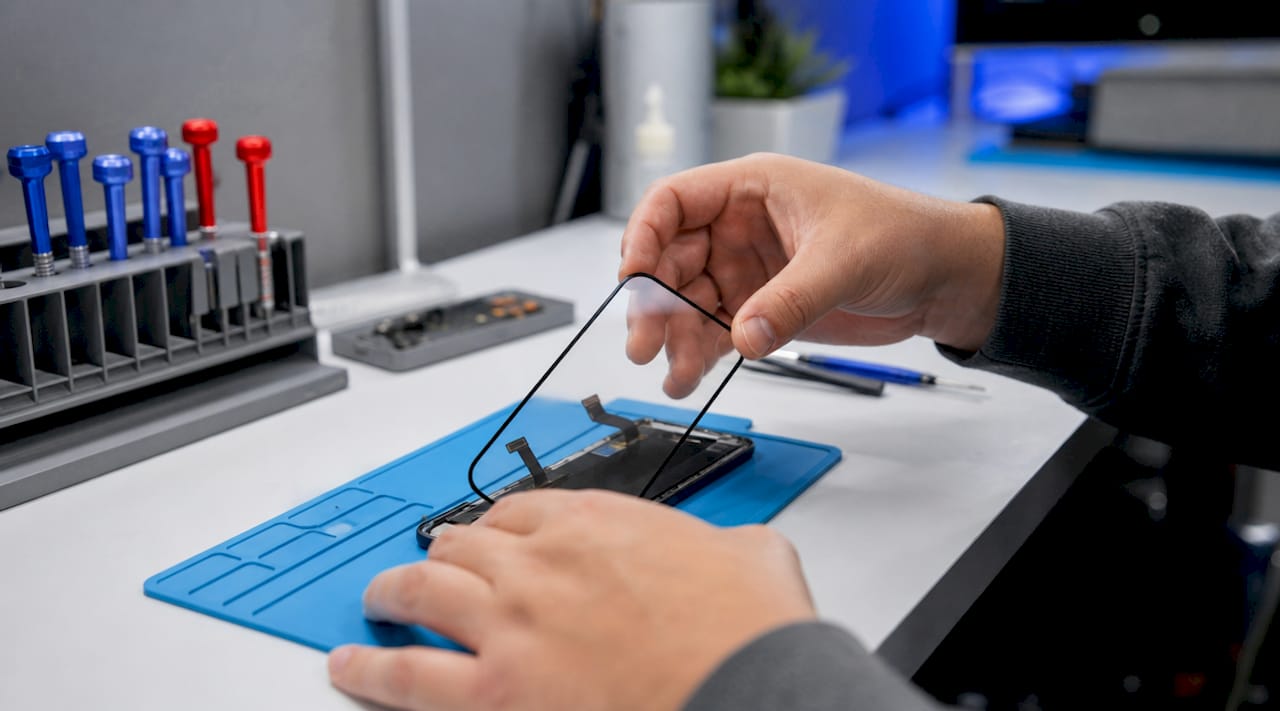
The iPhone digitizer is a thin, transparent layer bonded over the display that detects finger contact and converts it into electrical signals your device can process. Without it, your touchscreen is simply a piece of glass. Every tap, swipe, and pinch you make on an iPhone passes through this component before the operating system registers any input. If your screen has stopped responding, responds erratically, or registers touches you never made, the digitizer is almost certainly involved.
What is the iPhone digitizer and how does it work?
The iPhone digitizer is defined as a touch-sensing layer made from a thin, transparent grid of electrodes, typically indium tin oxide, positioned directly over or integrated with the display panel. Its sole job is to detect where your finger is on the screen and pass that location data to the processor. It does not produce any image. That is the display’s role entirely.
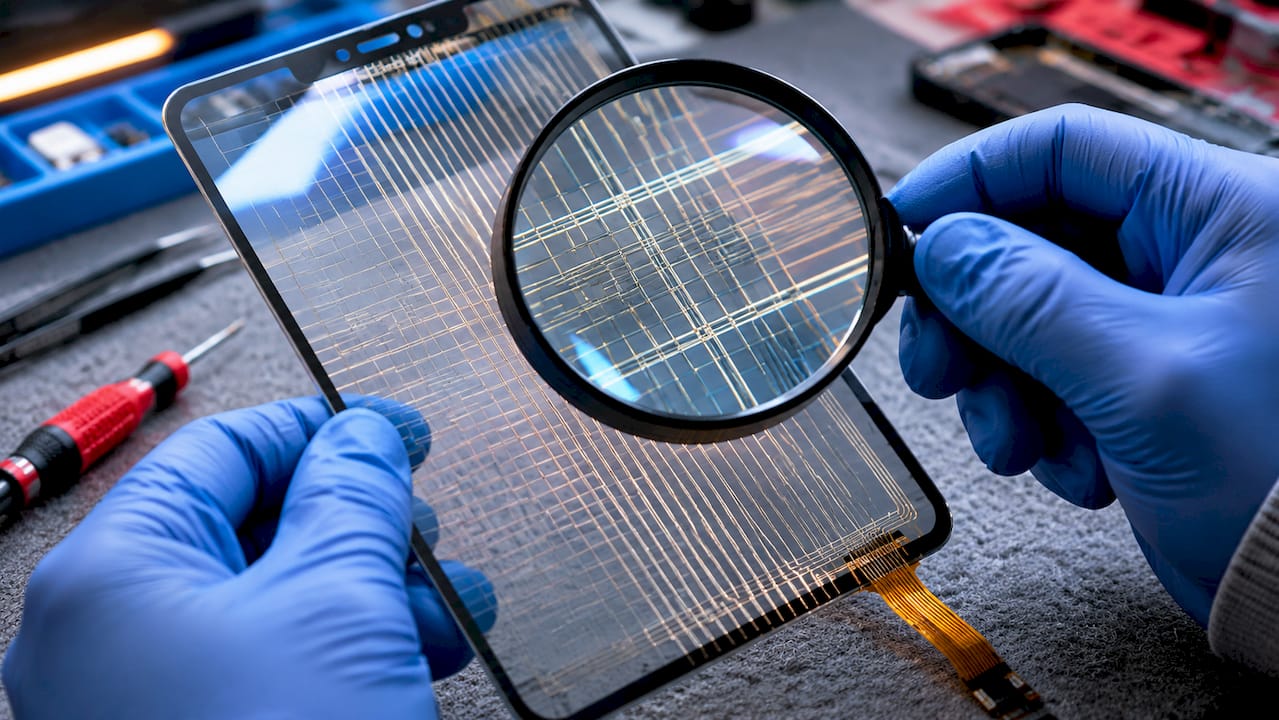
iPhones use capacitive touch sensing with an ITO electrode matrix arranged in X and Y coordinates to detect touch location and multi-touch gestures. Your finger is electrically conductive, so when it contacts the screen surface, it disturbs the electrostatic field at that precise point. The digitizer registers this disturbance as a touch event.
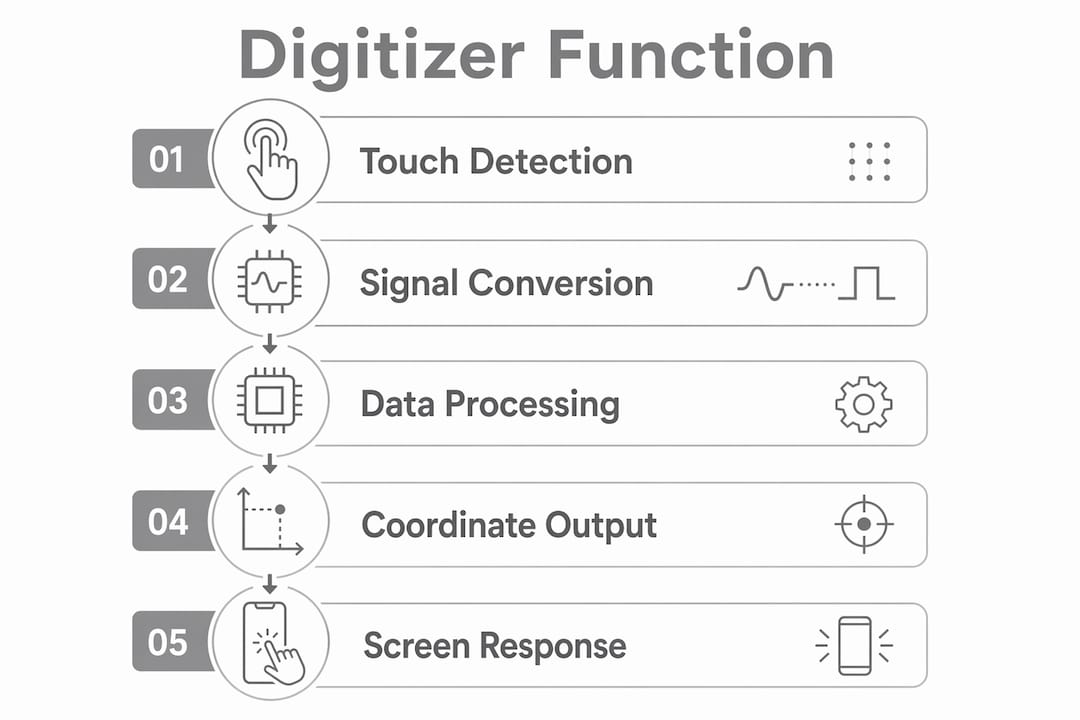
What makes this genuinely clever is the multi-touch capability. The X and Y electrode grid creates thousands of intersection points across the screen surface. When you use two fingers to pinch or zoom, the digitizer tracks both contact points simultaneously and sends that data to the touch controller chip for processing.
The touch controller chip filters signals and calculates precise touch coordinates from raw sensor data, enabling smooth multi-touch gestures. It continuously measures changes in capacitance across the electrode grid and sends processed touch information to the main processor. Think of it as the translator between the physical world and iOS.
Pro Tip: The digitizer and the display are separate components that work together. Understanding this distinction helps you ask the right questions when seeking a repair, since replacing one does not always mean replacing the other.
It is worth separating the digitizer from the LCD or OLED display panel beneath it. The display produces the image you see. The digitizer sits above it and handles all touch input. On most modern iPhones, these two layers are bonded together into a single screen assembly, but they perform entirely different functions.
What are the signs of a broken iPhone digitizer?
Broken digitizer symptoms include unresponsive areas, phantom touches, input glitches, and sometimes lines or screen discoloration. Physical damage, internal faults, or separation of the digitizer layer cause these touchscreen issues. Knowing what to look for saves you time and helps you describe the problem accurately to a repair technician.
Here are the most common signs your digitizer may be damaged or failing:
Unresponsive zones. Part of your screen simply does not react to touch, even though the display looks perfectly normal. You might find the top third of the screen ignores all input, or a strip down one side stops working.
Ghost touches or phantom input. The screen registers taps and swipes you never made. Apps open on their own, text types itself, or the cursor moves without your involvement. When digitizer signals become invalid or noisy, the iOS UI pipeline interprets this as touch failures or phantom touches, disrupting the user experience.
Erratic or jumpy response. Your touch input registers in the wrong location, or gestures like scrolling behave unpredictably.
Touch failure with a working display. In some screen damage cases, the display still shows an image but touch functions fail entirely due to digitizer damage. This is a clear indicator the digitizer layer has been compromised while the display panel remains intact.
Lines or discolouration alongside touch issues. These suggest deeper screen assembly damage where both the digitizer and display have been affected.
A cracked screen does not automatically mean a broken digitizer, but the two are closely linked. A crack that reaches the digitizer layer can sever electrode connections, creating dead zones or erratic behaviour. Even a crack that looks minor on the surface can cause significant internal damage.
Pro Tip: Before booking a repair, restart your iPhone and check whether the issue persists. Some touch problems are software-related and resolve after a reboot or iOS update. If the problem continues after a restart, the digitizer is the likely cause.
One important distinction: software faults can mimic digitizer problems. An iOS bug or a misbehaving app can cause unresponsive touch or ghost inputs. If the issue appeared after an update or is limited to one specific app, investigate the software side first. Persistent, widespread touch failure that spans the entire screen and multiple apps almost always points to a hardware fault.
How does iPhone digitizer repair or replacement work?
Repairing a damaged digitizer on a modern iPhone almost always means replacing the entire screen assembly. The digitizer is bonded directly to the display glass, and separating them without specialist equipment risks further damage. Most professional repair services replace the full unit as a single component.
Here is what the repair process typically involves:
Removing the two pentalobe screws at the base of the iPhone
Carefully separating the screen assembly from the chassis using suction and a spudger tool
Disconnecting the display, battery, and front sensor cables
Fitting the new screen assembly and reconnecting all cables
Securing the screen and replacing the screws
The process sounds straightforward, but the tolerances inside an iPhone are extremely tight. Cables tear easily, and connectors can be damaged if forced. This is why professional repair is strongly recommended over DIY attempts for most users.
Repair approach | Best for | Key consideration |
Professional repair with genuine parts | Most users | Preserves True Tone, Face ID, and warranty |
Professional repair with quality third-party parts | Budget-conscious users | May affect some display features |
DIY replacement | Experienced technicians only | High risk of further damage without proper tools |
After some iPhone screen replacements, features like True Tone and auto-brightness may be disabled unless using genuine Apple screens and software calibration tools. Recent iOS versions include repair assistance and calibration to restore screen functionalities, but this process requires specific tools that most independent repair shops need to invest in.
Choosing a repair service that uses genuine Apple parts or verified high-quality replacements is the most reliable way to restore full functionality. A screen that looks fine but lacks proper calibration can cause eye strain and reduce display accuracy over time.
Original vs third-party iPhone digitizer: what is the difference?
Not all replacement screens are equal, and the quality gap between genuine and third-party digitizers is significant. Many third-party replacement digitizers lack the precision and quality of genuine Apple parts, causing recurring touch problems or disabling features like True Tone.
The differences show up in several practical ways:
Touch responsiveness. Genuine digitizers are calibrated to Apple’s exact specifications. Lower-quality replacements often feel slightly laggy or require more pressure to register input.
Multi-touch accuracy. Multi-touch accuracy and gesture recognition rely on a stable, well-designed electrode grid and effective controller filtering of electrical noise. Cheaper grids introduce noise that degrades gesture recognition, making pinch-to-zoom and swipe gestures feel unreliable.
Ghost touch recurrence. Counterfeit or low-grade screens are a common cause of phantom touch issues appearing shortly after a repair. If your ghost touch problem returns within weeks of a screen replacement, the quality of the replacement part is likely the cause.
Feature compatibility. True Tone, which adjusts the display’s colour temperature to match ambient lighting, requires a genuine Apple screen and proper calibration. Third-party screens typically cannot support this feature.
Longevity. Genuine parts are built to last the lifetime of the device. Budget replacements often degrade within months, particularly under regular use or in warm conditions.
The cost difference between genuine and third-party parts is real, but so is the difference in outcome. A cheaper repair that fails within three months costs more in the long run than a quality repair done once. Always ask your repair technician what parts they use before agreeing to any work.
Key takeaways
The iPhone digitizer is the touch-sensing layer that converts finger contact into digital signals, and its quality directly determines how reliably your touchscreen performs.
Point | Details |
Digitizer definition | A transparent electrode grid that detects touch and sends signals to the processor. |
Digitizer vs display | The digitizer handles touch input; the display produces the image. They are separate functions. |
Signs of failure | Unresponsive zones, ghost touches, and erratic input all point to digitizer damage. |
Repair approach | Most repairs replace the full screen assembly, not the digitizer layer alone. |
Parts quality matters | Genuine Apple parts preserve True Tone and multi-touch accuracy; third-party parts often do not. |
Why I think most people misunderstand what their screen actually does
After years of working with iPhones at Rapidrepairsldn, the most common misconception I encounter is that the screen is one single component. Customers come in saying their screen is broken, but what they actually mean varies enormously. Sometimes the display is shattered but touch still works perfectly. Sometimes the glass looks fine but the phone ignores every tap. These are completely different problems with different solutions and different costs.
The other thing I see regularly is people accepting a cheap repair and then returning two months later with ghost touches or a screen that feels slightly off. They assumed all screens were the same. They are not. The digitizer’s electrode grid and the controller chip’s ability to filter electrical noise are what separate a good repair from a frustrating one.
My honest advice: if your iPhone is relatively new or you rely on it heavily, do not cut corners on the screen replacement. The True Tone feature alone is worth paying for genuine parts. And if you are unsure whether your problem is the digitizer or something else entirely, get a diagnostic first. A good repair shop will tell you exactly what is wrong before charging you anything.
— Joshua
Get your iPhone screen repaired properly at Rapidrepairsldn
If your iPhone is showing any of the symptoms described in this guide, the team at Rapidrepairsldn can help. We specialise in iPhone screen and digitizer repairs, using genuine Apple parts and quality-verified replacements to restore full touch functionality and display features including True Tone.
We carry out same-day repairs for most iPhone models, and every repair comes with a diagnostic check so you know exactly what is being fixed before any work begins. Whether your screen is cracked, unresponsive, or registering phantom touches, our technicians at Rapid Repairs London have the tools and experience to sort it quickly and reliably. Book your repair or drop in for a free assessment today.
FAQ
What is an iPhone digitizer?
The iPhone digitizer is a thin, transparent touch-sensing layer bonded over the display that detects finger contact and converts it into electrical signals the processor can read. It is the component responsible for all touch input on your device.
What is the difference between the digitizer and the display?
The digitizer detects touch input, while the display panel produces the image you see on screen. On modern iPhones, both are bonded into a single screen assembly, but they perform entirely separate functions.
Can the digitizer be replaced without replacing the full screen?
On most modern iPhones, the digitizer is bonded directly to the display glass, making it impractical to replace the digitizer alone. Most professional repairs replace the entire screen assembly as a single unit.
How do I know if my digitizer is broken?
Common signs include areas of the screen that do not respond to touch, ghost touches that appear without any input, erratic or jumpy gesture recognition, and touch failure on a screen that still displays an image correctly.
Does a third-party screen affect iPhone performance?
Third-party screens often lack the electrode precision and controller calibration of genuine Apple parts, which can cause reduced touch accuracy, ghost touches, and the loss of features like True Tone and auto-brightness calibration.
Recommended
Comments