
Why your iPhone overheats: causes and fixes explained
- Jun 25
- 8 min read

An iPhone overheats when its internal components generate more heat than the device can safely release. The battery, processor (Apple Silicon), and wireless radios all produce heat during normal use. Apple builds thermal management directly into iOS and the hardware itself, but certain conditions push that system past its limits. Understanding why your iPhone gets hot is the first step to protecting your device and extending its life.
Why does my iPhone overheat? The core causes
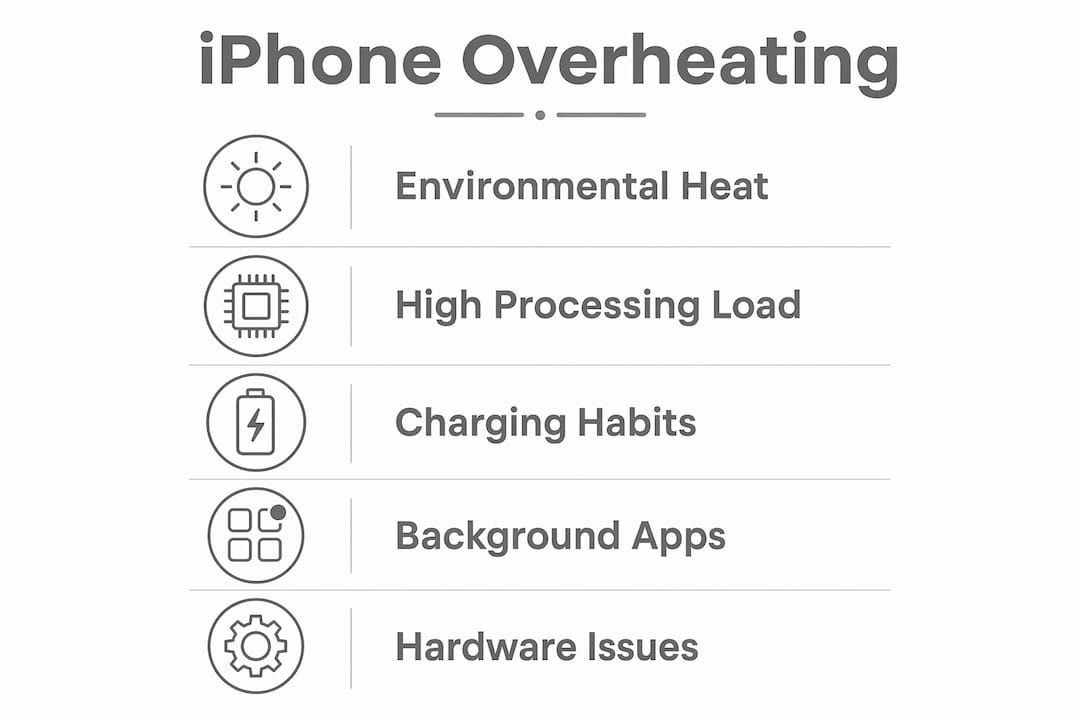
iPhone overheating, known technically as thermal throttling when the device responds to excess heat, happens for three broad reasons: environmental conditions, high processing load, and software activity. Thermal throttling is an automatic feature that reduces the processor’s workload and slows charging to protect internal components. It is a safeguard, not a fault. The iPhone body itself plays a role too. A warm aluminium or glass surface often means heat is being drawn away from sensitive internal hardware successfully, not that something has gone wrong.
How does ambient temperature cause iPhone heat issues?
External temperature is one of the most underestimated causes of iPhone temperature problems. Apple specifies an operating range of 0°C to 35°C for iPhones, with a storage range of -20°C to 45°C. Exceeding the upper limit causes performance throttling and reduces battery capacity over time.
Common environmental triggers include:
Leaving your iPhone on a car dashboard in summer, where interior temperatures can exceed 60°C within minutes
Using the device in direct sunlight for extended periods, such as at the beach or during outdoor navigation
Placing the iPhone on a surface that retains heat, like a laptop keyboard or a warm car seat
Charging in a poorly ventilated space, such as under a pillow or inside a bag
Ambient heat compounds the heat your iPhone already generates internally. When the outside temperature is already high, the device has less capacity to shed its own heat. This is when Apple’s thermal sensor steps in. Apple’s internal thermal sensor triggers protective measures including a dimmed screen, reduced performance, and paused charging. These responses are intentional and designed to prevent permanent damage.
What usage habits make your iPhone get hot?
Certain tasks push the processor and battery harder than others, and combining them is where real heat problems begin.
Charging while gaming or using GPS. Charging combined with high-load tasks like 3D gaming or GPS navigation significantly raises heat because both the battery and processor are under stress simultaneously.
Wireless charging. Wireless charging creates more heat than wired charging due to electrical resistance in the coil transfer process. Using a thick case during wireless charging makes this worse.
Streaming video at high brightness. Sustained screen-on time at maximum brightness, combined with network activity, keeps the processor and display backlight running continuously.
Running multiple demanding apps. Switching rapidly between apps like video editors, AR tools, or live camera filters keeps the GPU active and heat output high.
Even the latest hardware is not immune. The iPhone 17 Pro uses a vapour chamber and aluminium body to spread heat effectively, but it can still become warm during sustained high-performance tasks. The thermal design manages heat better than older models, but it cannot eliminate warmth entirely under heavy load.
Pro Tip: Remove your iPhone case when charging, particularly during wireless charging. Cases trap heat against the back of the device and prevent the aluminium frame from dissipating warmth into the air.

Can software and background apps cause overheating?
Software is a less obvious but very real cause of excessive heat in iPhones. Background processes can keep the processor active even when the screen is off.
The most common software-related causes include:
App crash loops. Apps stuck in crash loops consume repeated CPU cycles, causing unexpected heat generation. You can identify these by going to Settings > Privacy & Security > Analytics & Improvements > Analytics Data and looking for repeated crash logs from a single app.
Post-update system tasks. After a major iOS update, background tasks such as reindexing, photo analysis, and iCloud syncing cause temporary warmth that can last hours or even a day or two. This is normal behaviour and settles on its own.
Background App Refresh. Apps set to refresh in the background, combined with active network uploads to iCloud or Google Photos, keep both the processor and radio active continuously.
Rogue location services. Apps with always-on location access run GPS and network checks constantly, adding a steady thermal load even when you are not actively using them.
Keeping iOS and your apps updated is one of the most effective ways to manage this. Apple regularly releases patches that improve thermal management and fix bugs causing abnormal CPU usage.
Pro Tip: After a major iOS update, leave your iPhone on charge in a cool, ventilated spot for a few hours. The background reindexing will complete faster, and the heat will settle without you needing to intervene.
Is your iPhone overheating a sign of a hardware problem?
Not all heat is normal. There is a clear difference between a warm iPhone after a gaming session and one that gets hot while doing almost nothing.
Situation | What it likely means |
Warm after gaming or charging | Normal heat dissipation |
Hot during light tasks like texting | Possible software fault or failing battery |
Frequent temperature warning screens | Thermal system under sustained stress |
Unexpected shutdowns in warm conditions | Battery degradation or hardware fault |
Slow or paused charging with no heavy use | Thermal protection triggered by internal fault |
Frequent temperature alerts, overheating during light use, unexpected shutdowns, or slow charging are signs of abnormal overheating. These symptoms point to a hardware or software issue rather than normal operation. Battery degradation is a common culprit. An aged battery with reduced capacity works harder to deliver power, generating more heat in the process. Swelling is a serious warning sign and requires immediate professional attention.
Non-certified or damaged chargers increase internal resistance and deliver unstable power, raising heat during every charge cycle. Using uncertified cables and adapters is one of the fastest ways to accelerate battery wear and trigger persistent iPhone heat issues. Always use Apple-certified or MFi-certified accessories. You can find more detail on common iPhone repair issues that stem from exactly these habits.
How to fix iPhone overheating: practical steps
Most iPhone overheating reasons are preventable with straightforward changes to how you use and charge your device.
Move out of direct sunlight or heat. If your iPhone displays a temperature warning, turn it off and move it to a cooler, shaded spot. Do not put it in the freezer. Let it cool naturally.
Remove the case when charging. Thick or insulating cases trap heat. Removing the case during charging, especially wireless charging, allows the frame to dissipate heat freely.
Close demanding apps. Force-close apps that are actively generating heat, particularly games, video editors, or navigation apps running in the background.
Switch to wired charging during heavy use. If you need to charge and use the phone simultaneously, wired charging produces less heat than wireless.
Disable Background App Refresh for non-essential apps. Go to Settings > General > Background App Refresh and turn it off for apps that do not need it.
Check for crash loops. Review Analytics Data logs for repeated app crashes and delete or reinstall the offending app.
Restart your iPhone. A simple restart clears temporary processes and stops rogue background activity that may be generating heat.
Update iOS and all apps. Apple’s updates frequently include thermal management improvements and bug fixes that reduce abnormal heat.
For broader context on phone overheating causes and fixes, the same principles apply across Android devices too.
Key takeaways
iPhone overheating is caused by a combination of environmental heat, high processing load, charging habits, and background software activity, and most cases are preventable with simple changes.
Point | Details |
Normal warmth vs. abnormal heat | A warm surface during charging or gaming is normal; heat during idle tasks signals a problem. |
Operating temperature limits | Apple specifies 0°C to 35°C as the safe operating range; exceeding this triggers throttling. |
Charging habits matter | Wireless charging and simultaneous heavy use generate the most heat; use wired charging where possible. |
Software can be the culprit | App crash loops and post-update reindexing cause unexpected heat; check Analytics Data logs. |
Certified accessories protect the battery | Non-certified chargers increase internal resistance and accelerate battery wear and heat. |
What I have learned from years of seeing overheating iPhones
Working at Rapidrepairsldn, I see overheating complaints regularly, and the pattern is almost always the same. People assume the worst when their iPhone feels hot, but the majority of cases come down to one or two simple habits: charging with a thick case on, or using the phone hard in a warm room.
The thing most people miss is the case. A silicone or leather case that feels perfectly fine in winter becomes a heat trap in summer. I have seen iPhones running 10°C hotter simply because the case was left on during a two-hour wireless charge. Removing it costs nothing and makes a real difference.
The second thing I would flag is the post-update heat spike. Every time Apple releases a major iOS update, we get calls from people convinced their phone is broken. It almost never is. The system is reindexing, and it settles within a day. Patience is the fix, not a repair.
Where I do get concerned is when someone describes heat during simple tasks like reading emails or making calls. That is not normal. A battery that is swelling or degrading badly will generate heat even under minimal load, and that is a situation where you need a professional to check the battery health before it becomes a safety issue. Using certified accessories and keeping software updated will prevent most problems from reaching that point, but when they do, do not delay getting it looked at.
— Joshua
When to bring your iPhone to Rapidrepairsldn
If your iPhone runs hot during light use, shows frequent temperature warnings, or charges slowly without obvious reason, those are signs worth investigating properly.

Rapidrepairsldn offers iPhone diagnostics and repairs at our Finchley workshop, including battery replacements for overheating and degradation issues. Our technicians use certified parts and can identify whether the problem is a failing battery, a damaged charging port, or a deeper hardware fault. Booking is straightforward, and most repairs are completed the same day. If your device is getting uncomfortably hot and the standard fixes have not helped, bring it in and we will tell you exactly what is going on.
FAQ
Why does my iPhone get hot while charging?
Charging produces heat as a natural byproduct of converting electrical energy into stored battery power. Wireless charging generates more heat than wired charging due to electrical resistance in the coil transfer.
Is it normal for an iPhone to feel warm?
Yes. A warm surface during charging, gaming, or video streaming is normal and shows the device is dissipating heat through its frame. Heat during idle use or simple tasks is not normal.
What temperature is too hot for an iPhone?
Apple’s safe operating range is 0°C to 35°C. Sustained use above 35°C triggers throttling and can reduce battery capacity over time.
Can a software update cause my iPhone to overheat?
Yes, temporarily. Post-update background tasks like reindexing and syncing cause warmth that typically settles within a few hours to a day. If heat persists beyond that, check for app crash loops in Analytics Data.
When should I get my iPhone checked by a professional?
Get it checked if your iPhone overheats during light tasks, shows repeated temperature warnings, shuts down unexpectedly, or has a visibly swollen battery. These symptoms point to hardware issues that need professional diagnosis.
Recommended
Comments