
What is a motherboard? A beginner's guide
- 1 day ago
- 8 min read
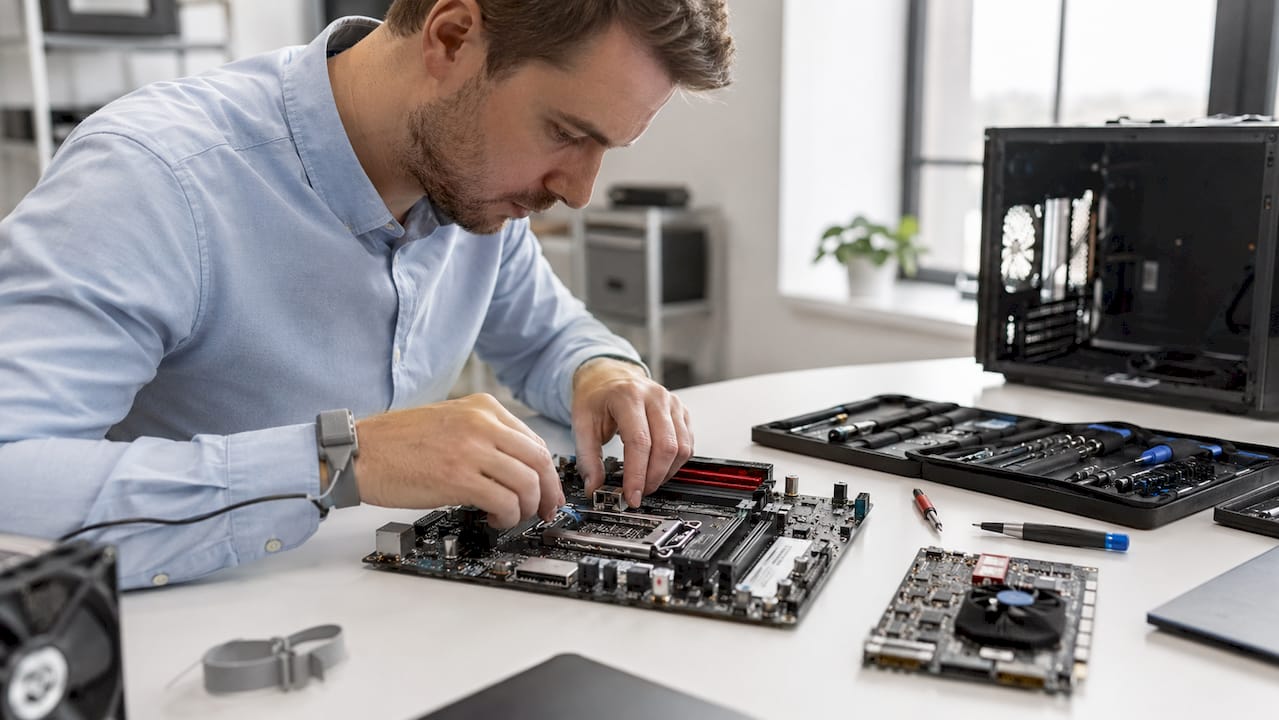
A motherboard is defined as the main printed circuit board in a computer, connecting the CPU, RAM, storage, and peripherals into a single working system. Without it, none of those components can communicate or receive power. Every desktop, laptop, tablet, and smartphone contains one, though the design varies considerably between devices. The ATX form factor, standardised in 1995, remains the most common layout for desktop systems today. Understanding what a motherboard does helps you make smarter decisions when buying, upgrading, or diagnosing faults in any device.
What is a motherboard and why does it matter?
A motherboard is the central hub that holds and connects every critical component in a computer. It provides the physical slots, sockets, and connectors that allow the CPU, RAM, storage drives, and graphics cards to sit in place and work together. The board also hosts the BIOS or UEFI firmware, which runs the moment you press the power button and checks that all hardware is present and functioning before loading your operating system.
The importance of a motherboard goes beyond just holding parts together. Without the motherboard, a CPU and RAM cannot interact at all, making the entire system non-functional. This makes it the single most critical component in any device. A faulty or incompatible board does not just slow a system down. It stops it working entirely.
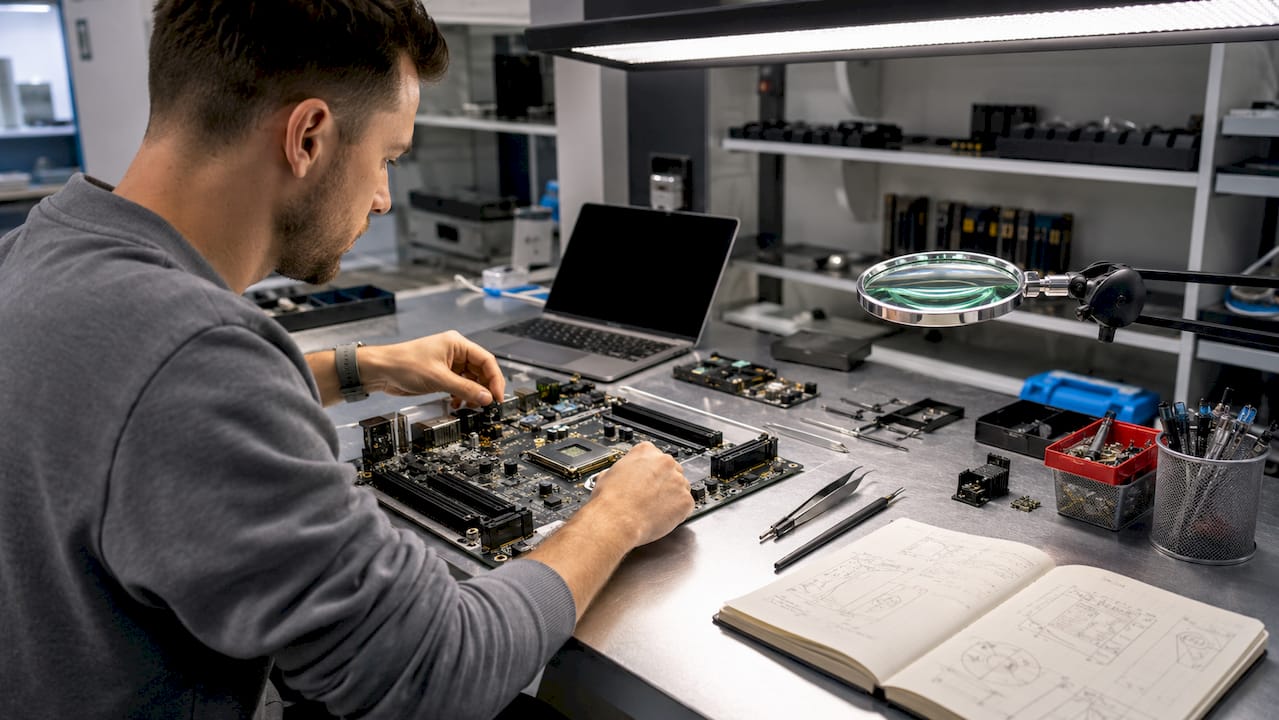
Motherboards appear in far more than desktop PCs. Laptops, iPads, iPhones, industrial control systems, and even modern televisions all contain a main circuit board performing the same core role. The design and layout differ, but the function is identical: coordinate communication, distribute power, and host firmware.
What are the main functions of a motherboard?
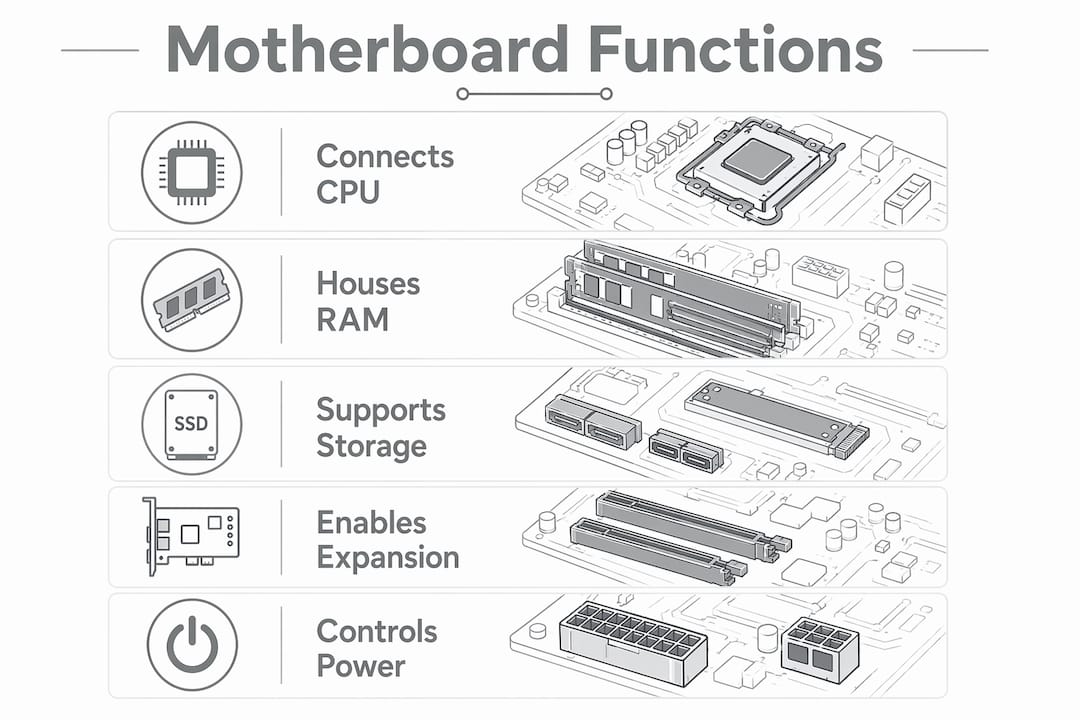
The four primary functions of a motherboard are hardware connectivity, data communication via chipsets, power distribution, and hosting system firmware. Each of these roles is essential, and a failure in any one of them affects the entire system.
Here is how each function works in practice:
Hardware connectivity: The board provides physical slots and sockets for the CPU, RAM sticks, M.2 or SATA storage drives, PCIe graphics cards, and USB peripherals. Every component plugs into the motherboard directly or via a cable connected to it.
Data communication: The chipset manages data pathways between the CPU, RAM, and storage. Older boards used a northbridge chip for high-speed communication and a southbridge for slower peripherals. Modern Intel and AMD boards integrate much of this into the CPU itself, but the board still coordinates the traffic.
Power distribution: The motherboard receives power from the PSU (power supply unit) and distributes regulated voltages to each component. Voltage Regulator Modules, known as VRMs, convert and stabilise this power before it reaches the CPU and RAM.
Firmware hosting: The BIOS or UEFI chip sits on the motherboard and runs the Power-On Self-Test (POST) every time the system boots. This checks that all hardware is detected and functioning before handing control to the operating system.
Modern boards, particularly in laptops and tablets, also integrate audio controllers, Wi-Fi modules, and Bluetooth directly onto the board. This reduces the need for separate expansion cards but means that a fault in one integrated component can affect the whole board.
Pro Tip: If your device powers on but produces a series of beep codes or shows no display, the BIOS POST routine is flagging a hardware fault. Each beep pattern corresponds to a specific component failure, and looking up the code for your board model is the fastest first diagnostic step.
What are the common types and form factors?
Motherboard form factors define the physical size of the board, the number of expansion slots available, and the overall I/O support. Choosing the right form factor affects not just whether the board fits your case, but how many components you can add later.
Form factor | Size | PCIe slots | Best suited for |
eATX | 305 x 330 mm | 4 or more | High-end workstations, servers |
ATX | 305 x 244 mm | 3 to 4 | Desktop gaming, general builds |
Micro ATX | 244 x 244 mm | 2 to 3 | Compact desktops, budget builds |
Mini ITX | 170 x 170 mm | 1 | Small form factor PCs, HTPCs |
Beyond physical size, socket and chipset compatibility is the most critical factor when selecting a board. Intel LGA1700 sockets accept 12th and 13th generation Core processors, while AMD AM5 sockets support Ryzen 7000 series chips. Fitting the wrong CPU to a socket physically prevents installation in most cases, but chipset mismatches can be subtler and just as damaging.
Motherboard design dictates the maximum RAM capacity, the number of M.2 slots, and which CPU generations are supported. A board with a Z790 chipset supports overclocking on Intel systems, while a B660 board does not, even if both use the same LGA1700 socket. These distinctions matter enormously for anyone planning to upgrade components over time.
Laptops present a different situation entirely. Many modern laptops have RAM and storage soldered directly onto the motherboard, making modular upgrades impossible. This enables thinner, lighter devices but means that a single failed component often requires a full board replacement rather than a simple swap.
How does a motherboard work to enable computer operation?
When you press the power button, the motherboard is the first component to receive electricity from the PSU. It then distributes power to every connected component in a specific sequence. The BIOS or UEFI firmware activates immediately and runs the POST routine to verify that the CPU, RAM, and storage are all present and responding correctly.
Here is the sequence of events during a normal boot:
The PSU sends a “power good” signal to the motherboard once voltages stabilise.
The BIOS or UEFI chip activates and begins the POST routine, checking CPU, RAM, and connected storage.
If POST passes, the firmware hands control to the bootloader on your storage drive.
The operating system loads into RAM and the CPU begins executing instructions.
The chipset continues managing data traffic between components throughout normal operation.
VRMs on the motherboard are critical for stable power delivery throughout this process. Poor-quality VRMs cause thermal throttling and system instability, particularly under heavy workloads. This is a detail that beginners frequently overlook when comparing boards by price alone.
Data moves between components via high-speed buses. The PCIe bus connects the CPU to the graphics card and NVMe storage. The memory bus connects the CPU directly to RAM. The speed and generation of these buses, PCIe 4.0 versus PCIe 5.0 for example, directly affects how fast data transfers between components. A board with PCIe 5.0 M.2 slots delivers significantly faster storage performance than one limited to PCIe 3.0.
Pro Tip: When diagnosing a system that fails to boot, reseat the RAM sticks first. Loose RAM is one of the most common causes of POST failure and takes under two minutes to check. It rules out a board fault before you go further.
What common issues occur with motherboards?
Motherboard faults are among the most challenging to diagnose because the board connects to every other component. A fault on the board can present as a RAM error, a CPU problem, or a storage failure, depending on which circuit is affected.
The most frequent failure points include:
VRM failure: Overloaded or low-quality VRMs overheat and fail, causing random shutdowns, throttling, or a complete failure to power on. This is especially common in budget boards paired with high-power CPUs.
BIOS firmware corruption: A failed BIOS update or power cut during flashing can corrupt the firmware chip, leaving the system unable to boot. Some boards include a backup BIOS chip for this reason.
Physical connector damage: Bent CPU socket pins, damaged PCIe slots, or corroded SATA connectors all cause intermittent faults that are difficult to trace without visual inspection.
Capacitor and component damage from liquid: Water ingress is a leading cause of board failure in laptops and phones. Corrosion spreads across the board over time, causing faults that worsen if left untreated. If your device has been exposed to liquid, reading about water damage repair is a useful starting point.
Replacement costs range from £80 to £400 or more depending on the device type and board specification. A budget desktop motherboard sits at the lower end, while a MacBook or high-end laptop board can exceed £400 for parts alone. Professional diagnosis before replacement is worth the cost, as the fault is not always the board itself.
The reason most repair shops avoid motherboard work is the complexity of component-level diagnostics. Identifying whether a fault lies in a VRM, a BIOS chip, or a specific power rail requires specialist equipment and training that most general repair shops do not have.
Key takeaways
A motherboard is the single component that makes all others functional, and its quality, compatibility, and condition determine the performance and longevity of the entire system.
Point | Details |
Central role | The motherboard connects and coordinates every component, including CPU, RAM, storage, and peripherals. |
Four core functions | Hardware connectivity, data communication, power distribution, and firmware hosting are all managed by the board. |
Form factor matters | ATX, Micro ATX, and Mini ITX boards differ in size, expansion slots, and upgrade potential. |
Compatibility is critical | Socket type and chipset generation must match your CPU to avoid an unusable configuration. |
Faults are complex | VRM failure, BIOS corruption, and liquid damage are the most common causes of board failure and require professional diagnosis. |
Why the motherboard deserves more attention than it gets
Most people building or buying a computer focus on the CPU and GPU, then pick a motherboard that fits the budget. I have seen this approach cause real problems, and it is worth being direct about why.
The board is the most difficult component to replace after a system is assembled. Swapping a CPU or adding RAM takes minutes. Replacing a motherboard means removing every component, checking compatibility with the new board, and often reinstalling the operating system. Getting the choice right the first time saves a significant amount of time and money.
VRM quality is the detail I see beginners ignore most often. A board with weak VRMs paired with a high-core-count CPU will throttle under load, and the user will blame the CPU for poor performance. The CPU is fine. The board cannot deliver stable power to it. Checking VRM reviews on sites like Tom’s Hardware before purchasing a board is a step that takes ten minutes and can prevent months of frustration.
For laptop users, the soldered component trend is worth understanding before you buy. If you purchase a laptop with soldered RAM and later find 8GB is not enough, there is no upgrade path. The board is the upgrade. Knowing this before purchase, rather than after, changes the decision entirely.
If your device is already showing signs of a board fault, such as random shutdowns, failure to power on, or a MacBook that will not start, professional diagnosis is the right first step. Replacing components at random is expensive and rarely solves the underlying problem.
— Joshua
Get expert motherboard and device repair from Rapidrepairsldn
Rapidrepairsldn specialises in component-level motherboard diagnostics and repair for laptops, iPhones, iPads, and other devices. Whether your laptop will not power on, your device is overheating, or you suspect a board-level fault after liquid damage, the team at Rapidrepairsldn has the equipment and expertise to diagnose the actual cause rather than guess. You can book a laptop repair or explore iPhone repair services directly online. For iPad faults including those linked to board-level issues, the iPad repair page covers all models. Rapidrepairsldn offers fast turnaround and honest diagnostics, so you know exactly what is wrong before any repair begins.
FAQ
What is the simple definition of a motherboard?
A motherboard is the main printed circuit board in a computer or electronic device that connects and coordinates all hardware components, including the CPU, RAM, and storage, while distributing power and hosting the system firmware.
What does a motherboard do in a laptop?
In a laptop, the motherboard connects all internal components and often has RAM, storage, and Wi-Fi soldered directly onto it. This means a single board fault can affect multiple functions simultaneously, making professional diagnosis particularly important.
How do I know if my motherboard is faulty?
Common signs include failure to power on, random shutdowns, beep codes during startup, and no display output. Diagnostic checks focus on power delivery, firmware status, and physical connector condition.
What is the difference between ATX and Mini ITX motherboards?
ATX boards measure 305 x 244 mm and support three to four PCIe expansion slots, making them suited to full-size desktop builds. Mini ITX boards measure 170 x 170 mm with a single PCIe slot, designed for compact systems where space is the priority.
Can a motherboard be repaired rather than replaced?
Yes, component-level repairs to VRMs, BIOS chips, and power circuits are possible with the right equipment. Chipset and socket compatibility must still be verified if any board components are being replaced or reflashed.
Recommended
Comments